
What changed between our Figma designs and the real app
It’s hard designing an investing game that’s fun to play and easy to read on a phone.
26 October 2026
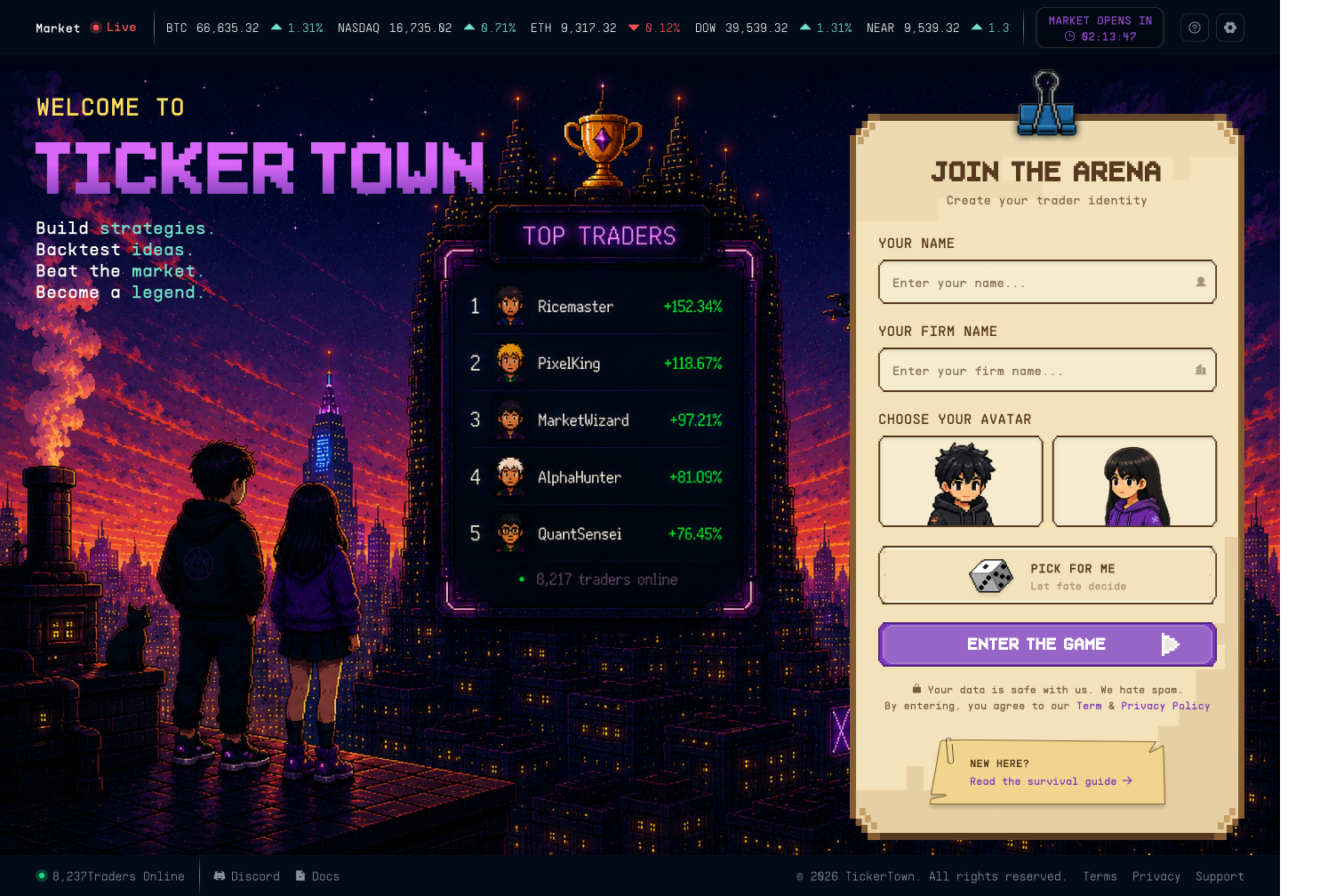
In September, I posted on LinkedIn that we were finally done designing TickerTown.1 Over 250 comments in Figma with our designer, Septin. Desktop and mobile. Done.
And then shit happens. 😅
Why TickerTown looks like a game
First, why pixel art at all?
Learning to invest with rules is a bit like learning to fly. You need reps. Most paper trading and finance tools feel like homework: spreadsheets, charts, jargon. People open them once and never come back.2
We wanted practice to feel like play. A small community, a crew of characters, a leaderboard, lofi vibe music. Something you want to open again tomorrow or a week later to check results.3
But a game that looks great in Figma is different from a game running real market data on a phone. A few observations on what I messed up:
1. Sign-in done right
Our test prototype lets you pick a name, a firm name and an avatar right on the first screen.
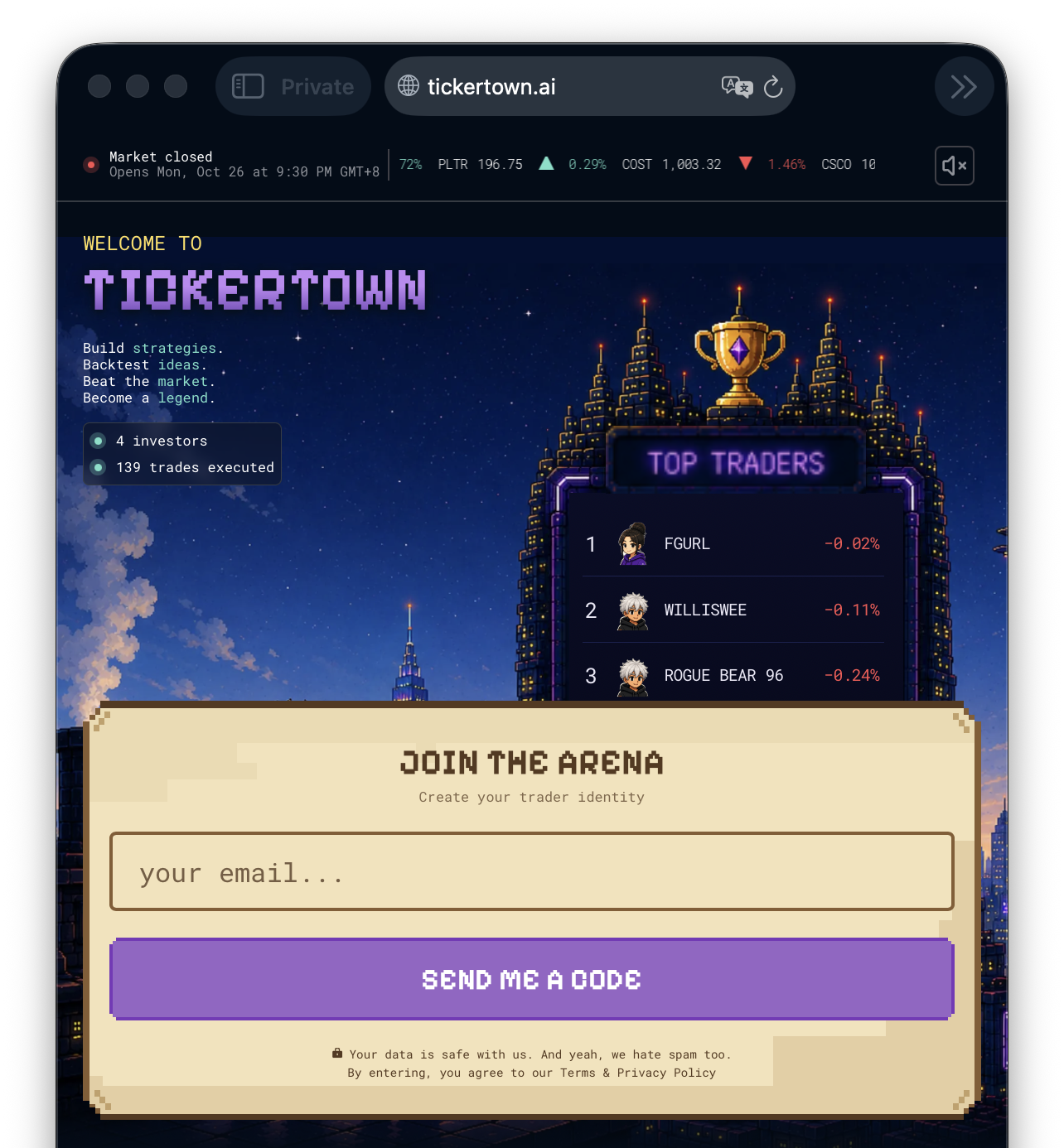
But the real app needed real accounts, so your portfolio is saved and you can log back in from any device. Ha, I made a noob mistake.
So now you enter your email first and get a code. No need for password. Easy.
Returning players go straight back to their HQ. New players pick a name and avatar after that.
We dropped the “firm name”, since nothing in the game used it.
2. No more skipping the backtest
Our early designs had a “Skip Backtest” button. Pick a strategy, deploy your play money, go.
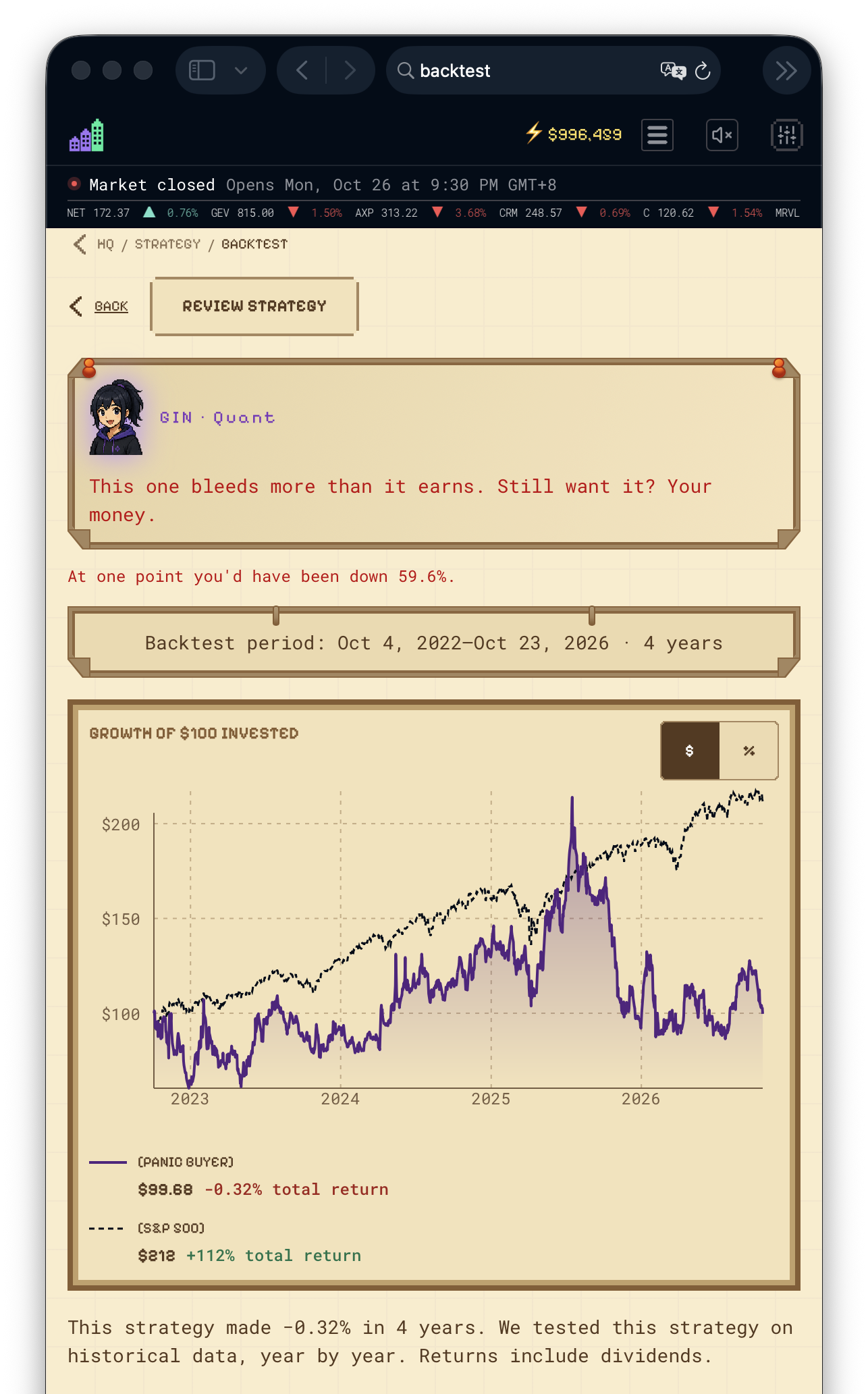
Then we looked at why TickerTown exists. The whole point is to test rules before you trust them. A skip button undoes that so we deleted it.
Every strategy now runs through five years of market history before you can deploy a single ⚡$ Spark. If the test result looks ugly, you see it first. You can still go ahead, but with your eyes open.
3. Pixel art vs reading on a phone
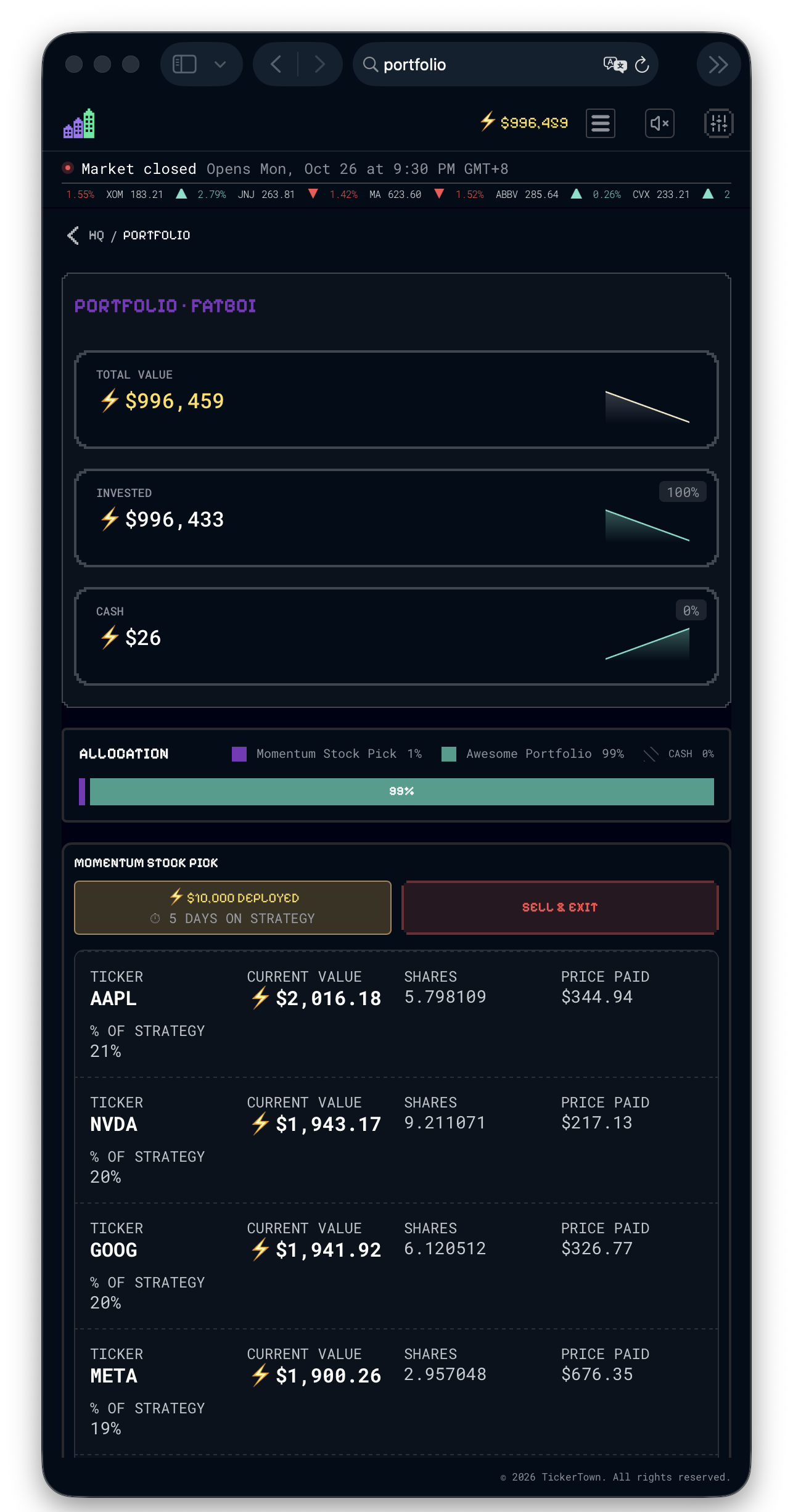
Retro games love warm cream colours and pixel fonts. Phone screens in daylight do not.
When we tested the real app on a phone, some headings were almost invisible. Pixel fonts make some numbers and charts hard to read too.
None of that looked wrong on a big monitor on the Figma canvas. But on production… the design broke on a phone, which is where most people will check their portfolio.
Still fixing
There are a lot of other things I messed up and still fixing. One of which is how to make Tickertown beginner friendly, which i’m struggling.
We’re fixing the last batch of UI/UX issues now.4 It still feels like a game. And now you can actually read your numbers on your phone while you’re commuting.
If you want to try it when the doors open, join the waitlist at tickertown.ai. Or comment or DM me. I’ll rope you in immediately with an additional ⚡$1,000.
1 My exact words: “Finally done designing TickerTown!” lol.
2 I struggle with this too, tbh. Making it beginner friendly is hard.
3 In our usability tests, people asked for leaderboards and wanted to see what top players run. Even with play money, they wanted real competition.
4 Before any screen change ships, the live app and the design are shown side by side, and a reviewer has to confirm they match: spacing, colour, type. The reviewer is often one of our AI helpers. More on that in the next post.